The session is led by a TimelinesAI product expert who will explain everything and answer your questions live.
Loved by Pipedrive Marketplace Customers
We are delighted to be the top-rated WhatsApp integration on the Pipedrive Marketplace. Here are some user testimonials about their experiences and the positive impact it has had on their operations.
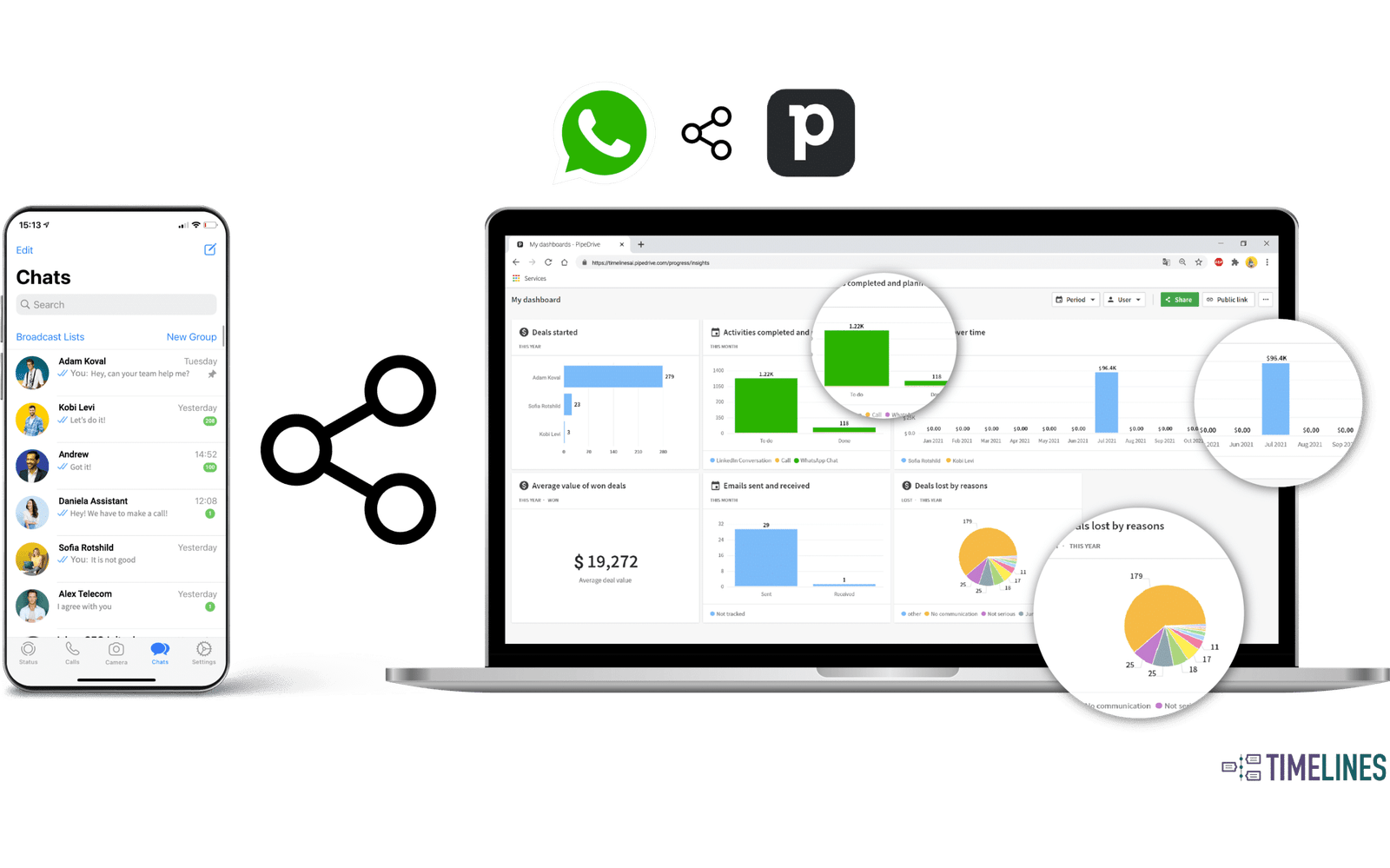
Timelines.ai helps you connect WhatsApp with Pipedrive. It's a handy tool for businesses that want to keep their WhatsApp chats organized within Pipedrive. It automatically adds WhatsApp messages to your Pipedrive contacts, deals, or leads. Plus, they offer an API and webhooks, so you can set up custom automations if you need more specific integrations.
Gina
★★★★★
May 19, 2025
As a seller, PipeDrive was the most easy and intuitive CRM that I used. I really recommend Pipe for your team!
Gareth
★★★★★
September 9, 2025
We looked at Timelines to help us with automated WhatsApp's in our campaigns. They have found a great way to accomodate us after working with TimelinesAI support. Timelines will be a helpful tool for us to boost our campaigns and onboarding outreach going forward.
Andreas Galli
★★★★★
December 3, 2025
Works great and integrates perfectly with Pipedrive!
Henry Sherwood
★★★★★
June 12, 2025
Works well with Pipedrive and increasing functionality all the time. Some of the functions are not obvious to beginners but the support is excellent and there are work arounds for everything i wanted to so.
MisterBus
★★★★★
May 23, 2025
Very easy to use, and connect. This let us to understand better the conversations between our deals and the Sales team in one place.
Kadu Maranhão
★★★★★
May 20, 2025
Timelines.ai is a tool that I have been looking for a long time to integrate with Pipedrive so that I can manage messages and also send mass messages. I am not very good at integrations, but once I have them set up, it is a joy.
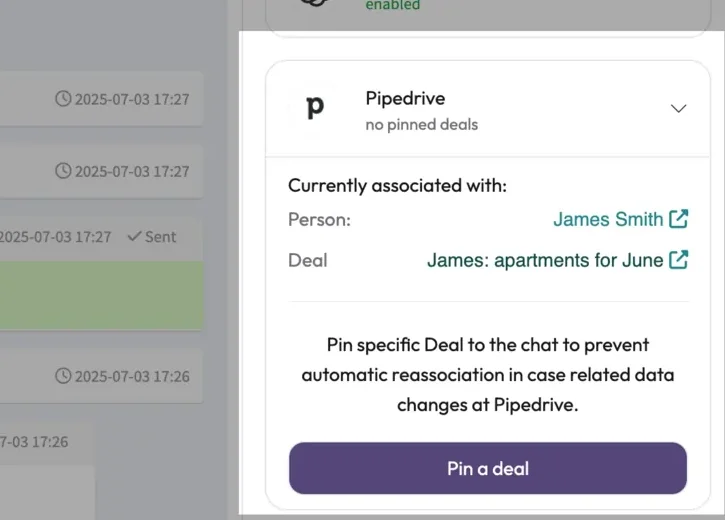
Easily manage where your WhatsApp messages sync in Pipedrive with a simpler layout and total control from the chat sidebar.
1
See Where Messages Sync Instantly
Quickly view the linked Person and Deal in the new Pipedrive sidebar. No need to check sync logs.
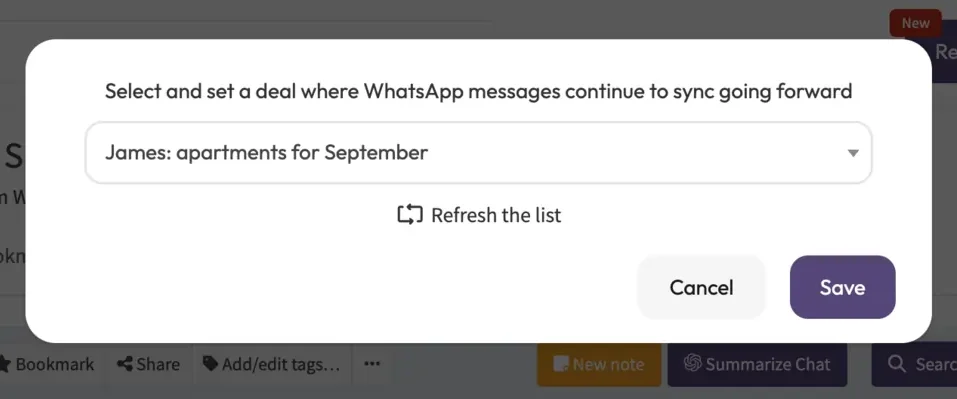
2
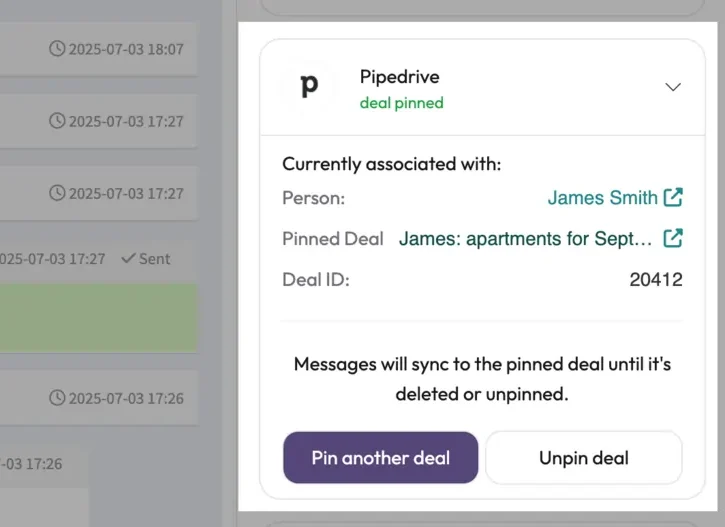
Pin Chats to a Specific Deal
Choose exactly which Pipedrive Deal a chat syncs to and keep your messages organized. With Pinned Deals in Pipedrive integration, you can control where messages go and avoid duplicates or misplacements which is perfect for managing complex sales pipelines.
3
Enjoy a Cleaner and Faster Experience
New navigation, instant sync updates, and smarter logic keep your chats and CRM fully aligned without any extra work.
Send WhatsApp Messages and Continue Conversations Directly from Your CRM
Our WhatsApp direct message chrome extension will automatically detect phone numbers from your CRM or any other webpage and provides you easy access to WhatsApp conversations.
Connect your OpenAI assistant and automate WhatsApp chats with smart replies, summaries, and seamless human handoff—directly inside your CRM using ChatGPT Agents.
Instantly respond to leads and customers, even when your team is offline.
Train your AI using your own tone, documents, and workflows.
Agent auto-disables when a teammate replies—no conflicts.
Summarize long conversations instantly using ChatGPT.
Connect your WhatsApp account to TimelinesAI by scanning the system-generated QR code with your WhatsApp mobile application.
Press “Connect” on the Integrations>Pipedrive page.
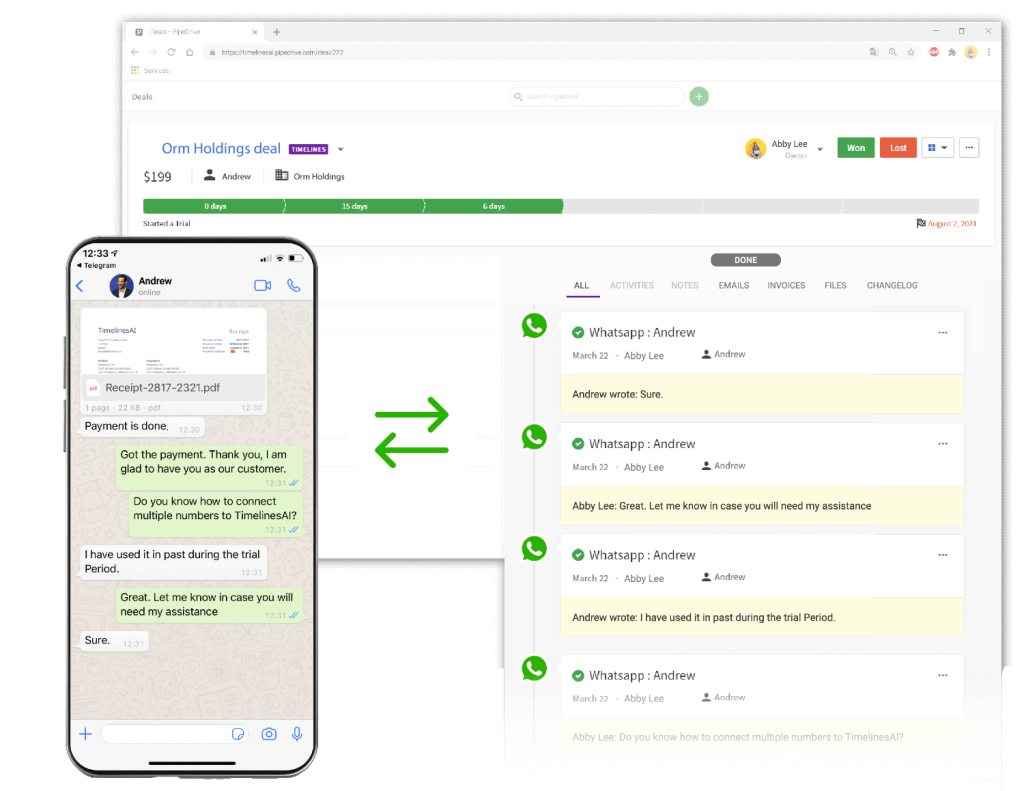
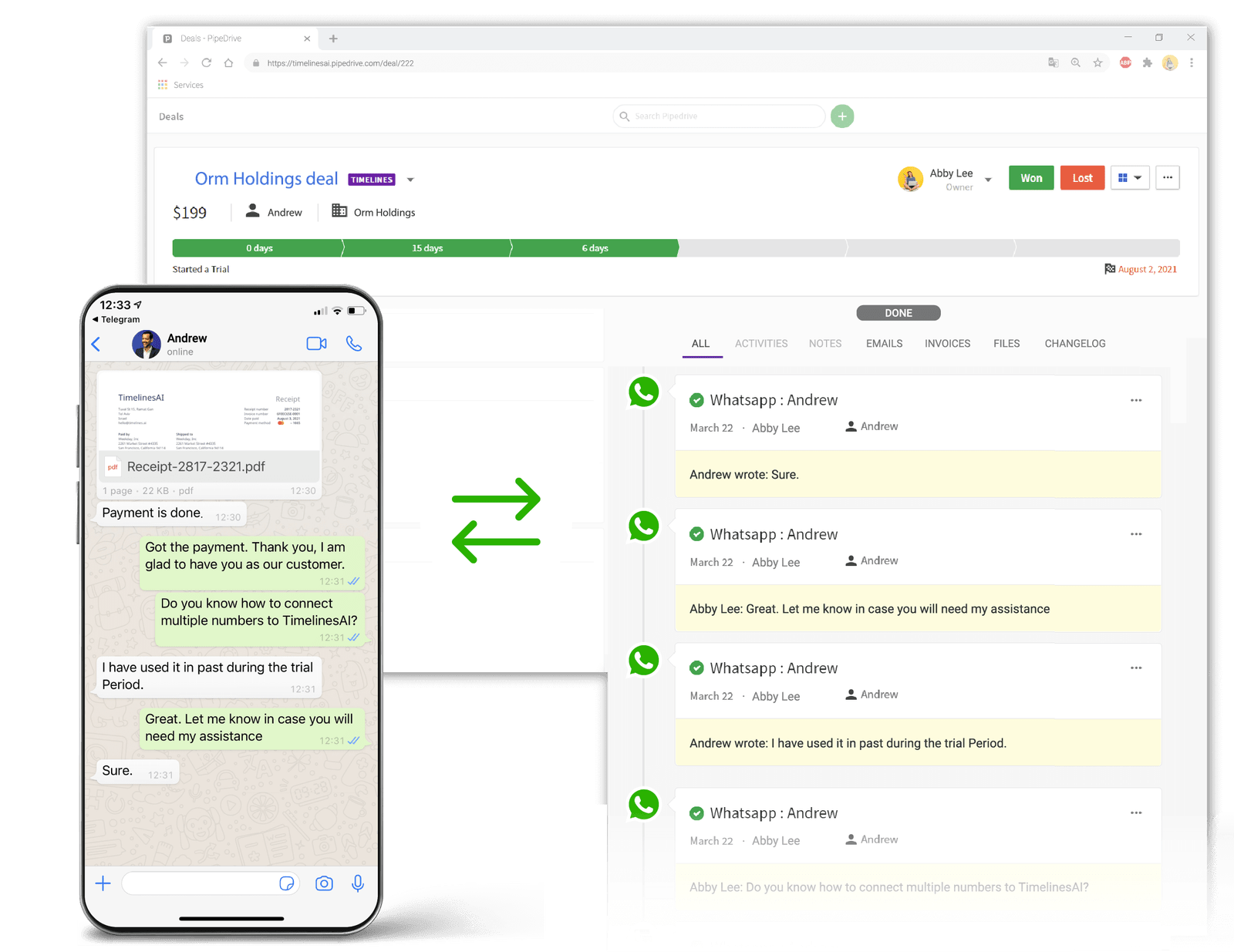
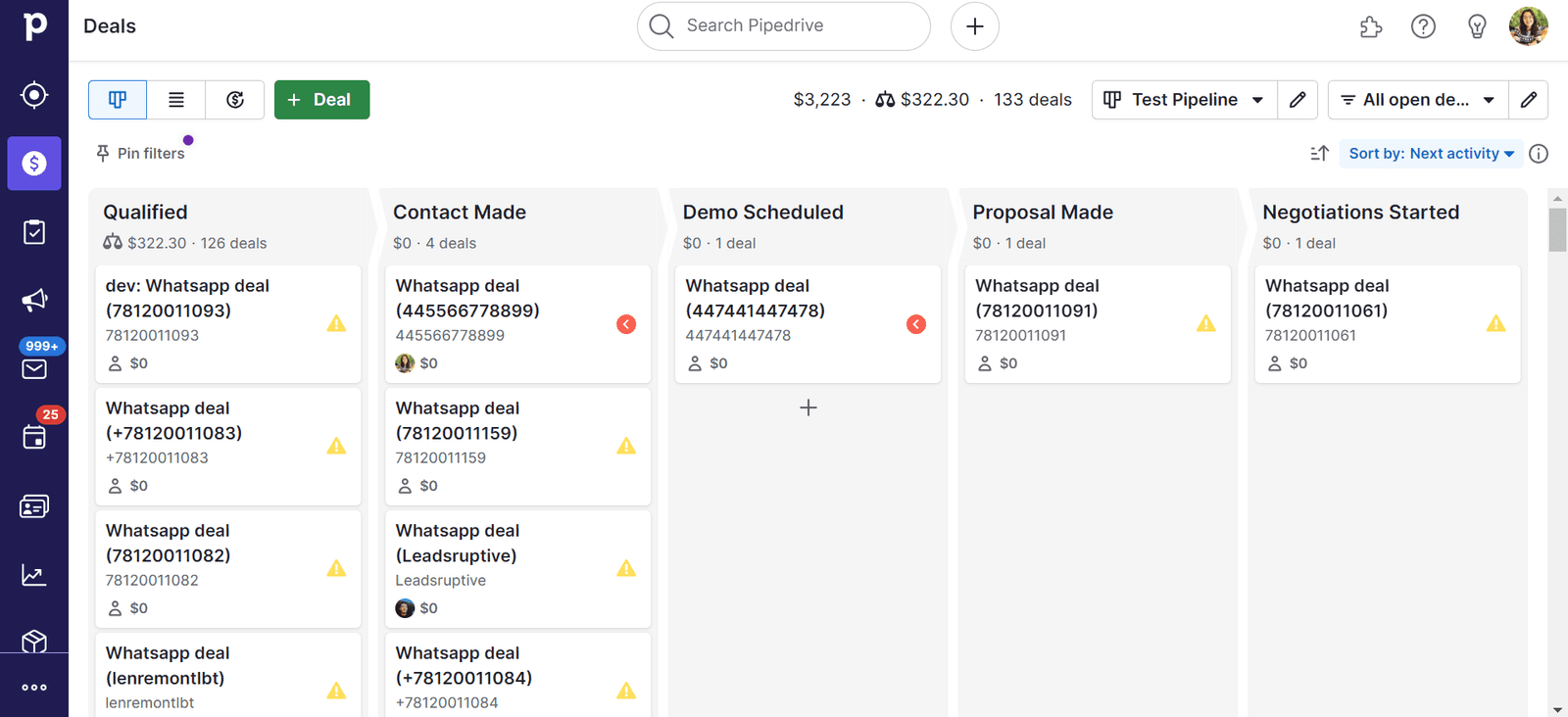
That’s it! From this moment, the WhatsApp messaging from the connected WhatsApp account will be automatically synchronized into corresponding Pipedrive’s Persons and Deals. Matching happens automatically based on the WA number of your contacts. For new contacts that aren’t yet created in your CRM, Persons and Deals will be created automatically.
Does it work with regular Whatsapp numbers? Whatsapp business numbers?
TimelinesAI – WhatsApp Pipedrive integration works with any type of WhatsApp accounts. Simply connect your WhatsApp account by scanning the system-generated QR code, and your contacts and messaging from WhatsApp will be synchronized into Pipedrive automatically.
Can I connect multiple Whatsapp numbers to synchronize Whatsapp communication of my sales or support agents into Pipedrive?
Yes. If you connect multiple WhatsApp accounts to TimelinesAI app, all WhatsApp messaging will be seamlessly synchronized into Pipedrive.
To connect multiple WhatsApp accounts to TimelinesAI, invite your team members into the TimelinesAI app, and ask them to connect their WhatsApp numbers by scanning the system-generated QR code on the WhatsApp tab. If your TimelinesAI workspace is already connected to Pipedrive, new messages from connected WhatsApp numbers will be synchronized into Pipedrive.
How much does Pipedrive Whatsapp integration cost?
The pricing starts at $25/mo. Annual discounts apply. Learn more about the plans on the Pricing page.
Does this Whatsapp Pipedrive integration support attachment files (documents, voice messages, etc.)?
Yes. Attachments from your WhatsApp communication will be synchronized into Pipedrive and displayed in the corresponding Persons and Deals.
How does TimelinesAI match contacts from Whatsapp in Pipedrive? Will there be a problem with how we are used to format contact numbers? (e.g. including +, country code, etc.)
TimelinesAI matches contact numbers in several steps. First, we try the exact match in a full international format with leading “+”. If there is no match, we start truncating characters from the left side of the number (as a character string) and fuzzy matching against the number saved in Pipedrive. We stop, when there are 7 characters left (too few for an accurate match) and consider this as no-match. In this case, a new contact (Person) will be created automatically.
In other words, there will generally be no problem with whatever way you’re using to save your contact numbers.
Can I reply to Whatsapp from Pipedrive with your integration?
Yes. TimelinesAI adds a “Send WhatsApp message” button to the Contacts and Deals section on Pipedrive. It enables you and your agents to send WhatsApp text messages and attachments right from Pipedrive interface.
What happens if my device goes offline? Will the integration catch up on the Whatsapp communication when I reconnect?
TimelinesAI supports WhatsApp multidevice. It means that the connected WhatsApp accounts are always online, even if the device or Internet of your manager is turned off. There will be no gaps in synchronization.
An additional benefit is that your managers can use WhatsApp Web, WhatsApp Desktop and WhatsApp mobile app. TimelinesAI will automatically sync the messaging in the background with no additional effort from their side.
Can I use Zapier to introduce additional Pipedrive Whatsapp automation?
Yes. TimelinesAI has a Native Zapier integration that is available on our Mass Messaging & Automation plan along with Webhooks and Mass Sending.
Can I try the Whatsapp to Pipedrive integration for free?
Yes. Register a profile on TimelinesAI, and you will get 10 days of fully functional free trial. The connection of the number and Pipedrive is instant and the whole setup takes up to 5 minutes.
No business or WhatsApp API approval is required.
What else I can do with TimelinesAI?
TimelineAI offers you a range of tool to help your business win and scale.
Along with Pipedrive integration that is available on any plan we offer:
Shared Inbox – add multiple WhatsApp numbers to appear in one timeline for collaboration and visibility.
Mass Messaging & Automation – Native Zapier Integration, Inbound & Outbound Webhooks and Mass Sending to boost your Sales & Marketing campaigns.
Ready to Transform Your WhatsApp Sales Process?
Get your Free TimelinesAI trial in seconds and start syncing WhatsApp to Pipedrive today—no credit card required!




 Marketplace